Animation Presets
Browse, preview, and apply built-in animation presets.
Animation Presets are ready-made animation configurations. Pick one and it instantly populates the From, To, duration, and ease fields on your animation node — ready to play or tweak.
Location
Left Panel → Presets button (the wand icon in the Animation tab toolbar)
Click the button to open the Presets panel. The panel lists all built-in presets grouped by category.
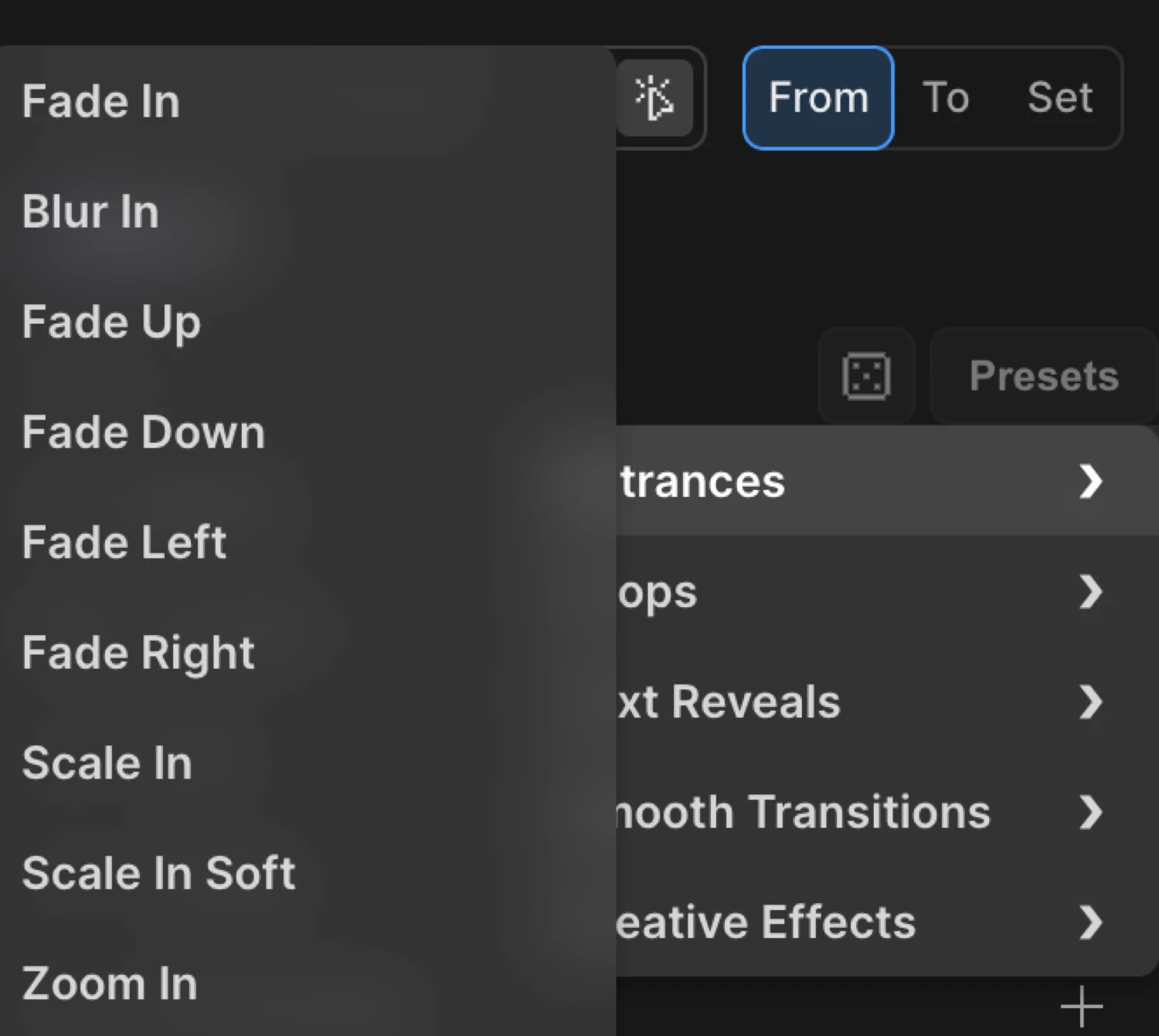
How to use presets
Preview
Hover over any preset name to preview the animation live on the selected element in the builder canvas.
Apply
Click a preset to apply it. The builder immediately writes the corresponding From/To values, duration, and ease into the current animation node.
Override
Every value the preset writes is fully editable. After applying, adjust any property — opacity, distance, duration, ease — to fit your design. Presets are a starting point, not a lock-in.
There is also a random preset button (dice icon in the toolbar) that applies a random preset from the full list.
Categories
Presets are grouped into five categories.
Entrances
Entrance presets animate an element from a hidden or offset state into its natural position. All 16 presets write From values.
| Preset | What it does |
|---|---|
| Fade In | Fades in from opacity: 0 |
| Blur In | Fades in from opacity: 0 with a blur(10px) filter |
| Fade Up | Slides up 100 px while fading in |
| Fade Down | Slides down 100 px while fading in |
| Fade Left | Slides in from 100 px to the right while fading in |
| Fade Right | Slides in from 100 px to the left while fading in |
| Scale In | Scales up from scale: 0 |
| Scale In Soft | Scales up from scale: 0.5 with fade |
| Zoom In | Zooms in from scale: 0.3 with fade |
| Zoom Out | Zooms in from an oversized scale: 1.3 with fade |
| Flip In X | Flips in on the X axis (rotateX 90°) with fade |
| Flip In Y | Flips in on the Y axis (rotateY 90°) with fade |
| Rise & Fade | Rises 80 px from a slightly scaled-down state |
| Skew Slide | Slides in from the left with a 15° skew and fade |
| Spiral In | Scales up from zero while spinning 180° with fade |
| Corner Pop | Scales up from the top-left corner with a -90° rotation |
Loops
Loop presets write To values and set repeat to -1 (infinite) with yoyo. Apply them to any element that should animate continuously.
| Preset | What it does |
|---|---|
| Pulse | Scales up to 1.1 and back, infinitely |
| Shake X | Shakes 10 px on the X axis |
| Shake Y | Shakes 10 px on the Y axis |
| Wiggle | Rotates 5° back and forth |
| Bounce | Bounces up 20 px with a bounce.out ease |
| Rubber Band | Stretches horizontally (scaleX: 1.3) and squishes vertically (scaleY: 0.8) |
| Swing | Rotates 15° from the top center — like a hanging sign |
| Pendulum | Rotates 20° from the top center with a slower, heavier cadence |
| Flash | Pulses opacity to 0.3 and back |
| Strobe | Flickers opacity to 0 and back rapidly |
| Flip Back | Continuously spins on the Y axis (360°) |
Text Reveals
Text Reveal presets split the element’s text into words, characters, or lines using Text Splitter, then animate each piece in with a stagger. All presets write From values.
Words presets — animate word by word:
| Preset | What it does |
|---|---|
| Words Fade In | Fades in each word with stagger 0.08s |
| Words Slide Up | Each word slides up 20 px while fading in |
| Words Slide Down | Each word slides down 20 px while fading in |
| Words From Left | Each word arrives from -30 px on the X axis |
| Words From Right | Each word arrives from +30 px on the X axis |
| Words From Center | Words emerge from scale: 0.5, staggered from center outward |
| Words From Edges | Words fade in staggered from the edges inward |
| Words Blur In | Each word fades in through a blur(10px) filter |
| Words Skew In | Each word arrives with a 20° X skew while fading in |
| Words Typewriter | Words appear one by one, sliding in from -10 px on X |
Chars presets — animate character by character:
| Preset | What it does |
|---|---|
| Chars Fade In | Each character fades in with stagger 0.03s |
| Chars Cascade | Each character drops in from 30 px above |
| Chars Pop In | Each character scales up from scale: 0 |
| Chars Rotate In | Each character rotates in from 90° while fading |
| Chars Random | Characters rise 20 px and fade in, staggered randomly |
| Chars 3D Flip | Each character flips in on the X axis (rotateX 90°) |
| Chars Wave | Characters descend from -20 px, creating a wave effect |
| Typewriter | Characters appear one by one, fading in with stagger 0.05s |
Lines presets — animate line by line:
| Preset | What it does |
|---|---|
| Lines Rise | Each line rises 40 px while fading in, stagger 0.2s |
| Lines Fade | Each line fades in sequentially, stagger 0.15s |
Smooth Transitions
Subtle, polished entrance effects suitable for UI elements, cards, and section reveals. All write From values with soft distances and gentle opacity values.
| Preset | What it does |
|---|---|
| Gentle Fade | Fades in from opacity: 0.3 — barely there at the start |
| Soft Slide Up | Rises 20 px from opacity: 0.5 |
| Float In | Floats up 15 px from opacity: 0 |
| Blur to Focus | Fades in from opacity: 0 with a blur(5px) filter |
| Elegant Scale | Scales up from 0.95 with fade — barely visible change |
| Drift Right | Drifts in from -20 px on X with fade |
| Drift Left | Drifts in from +20 px on X with fade |
| Rise Subtle | Rises 10 px from opacity: 0 and scale: 0.98 |
| Drop Subtle | Drops in from -10 px (above) with opacity and subtle scale |
| Grow Subtle | Scales up from 0.9 with fade |
| Shrink In | Scales down from 1.1 with fade |
| Soft Blur Slide | Rises 15 px from opacity 0 with a light blur(3px) |
Creative Effects
More expressive presets with dramatic motion, often setting both From and To to create a complete transformation.
From-only effects — entrance animations:
| Preset | What it does |
|---|---|
| Spiral In | Scales up from zero while spinning 180° |
| Twist In | Scales up from zero with a full 360° spin |
| Bounce In | Scales up from scale: 0 (pair with a bounce ease) |
| Squeeze In | Reveals horizontally — scaleX starts at 0, scaleY stays at 1 |
| Morph In | Scales from 0.5 with a 20° X skew and fade |
To-only effects — exit animations:
| Preset | What it does |
|---|---|
| Spiral Out | Scales to zero while spinning -180° |
| Squeeze Out | Collapses vertically — scaleY animates to 0 |
From + To effects — both endpoints are explicit:
| Preset | What it does |
|---|---|
| Slide Through | Enters from -100 px and exits to +100 px on X |
| Zoom Through | Starts at scale: 0 and ends at scale: 2 |
| Flip Full | Full Y-axis flip — enters at -90° rotateY, exits at +90° |
| Rotate Through | Rotates from -180° to +180° |
| Color Shift | Background color transitions from red (#ff0000) to blue (#0000ff) |
| Skew Transform | Skews from -30° to +30° while sliding across X |
| Scale Bounce | Scales from 0 to 1.2 with a yoyo repeat — a subtle overshoot |
| Perspective Spin | Y-axis spin from 180° to 360° while scaling from 0.5 to 1 |
Modifying preset values
After applying a preset, every written property is available in the normal animation controls. Use the From, To, and timing sections to adjust:
- From/To values — change distances, opacity levels, rotation angles
- Duration — set in the Timeline Editor or the timing input
- Ease — change via the Ease selector in the Left Panel
- Stagger — fine-tune
eachdelay andfromdirection for text presets
Nothing is locked. Presets just save you the initial setup work.
SDK equivalent
The same preset configurations are available in the SDK via the presets option. See the SDK Animation Presets reference for the full list and code examples.
Related
- From, To & Set — understand how From and To work
- Stagger — fine-tune text and multi-element stagger timing
- Ease — change acceleration curves after applying a preset
- SDK Animation Presets — use the same presets in code